
Are you just getting started with a social media strategy for your business? Not sure what you should be posting about in order to generate followers and engagement?
So you run a small business, everything is ticking along ok, so you don’t think you need a business website?
How to Turn a $500 Budget Into a Successful Facebook Ad Campaign When done right, Facebook can be a key tool in promoting your small business—even on a limited budget. With new updates on a nearly daily basis, it can be overwhelming trying to take advantage of all the features Facebook offers. Through its Ads Manager program, you have the ability to gain more followers, likes and impressions on a post, and even direct people right to your own homepage. While traditional advertising avenues are limited for the budget-conscious marketer, social media advertising can stretch even a $500 budget a long way with some careful thought to these four considerations: 1. Know your audience You can get a thousand likes on a post, but if none of those Facebookers care about your company, was that ad successful? This is where quantity vs. quality comes in to play. While both have their time and place— to drive real sales and profits from these ads, you need quality engagement. This starts with building the right audience. One of the most powerful tools Facebook Ads Manager provides you with is its targeting capabilities. Your company has a specific demographic and your targeted Facebook audience can reflect those details. Narrowing all the way down to age, gender, job title, zip code and even what kind of pages they already like are all ways Facebook gets your post where it needs to be. Before you even begin boosting posts, take a look at your existing audience. If your follower count is lacking, consider using $100 out of that budget toward getting new followers that meet your target demographics. 2. Thumb-Stopping Visuals The next time you’re going down your Facebook feed and your thumb stops scrolling, take note! Why did that specific post jump out at you? Maybe it was an eye-catching video or just a cute baby picture. Whatever the reason, that post got you to stop and look at it. Keep these visuals in mind when creating your own ads because we usually look at a picture before reading the accompanying description. Avoid stock photography if possible as it can make your ad appear generic. Try capturing your own compelling images or videos, or consider creating original infographics with a program like Canva to get noticed. 3. What’s the Point? With a smaller budget, it’s necessary to be a little picky when it comes to choosing the content you want to sponsor. Upcoming promotions/events, fun pictures and original resources/infographics are all great options to put some dollars behind. Once you settle on that post, it’s time to choose what you want to get out of it— Post likes? Clicks to your website? Video views? When you’re building your ad, keep these options in mind. 4. Test & Measure This final step is the most important when it comes to maintaining and improving the success of your ad campaign. Keeping an eye on what you’re promoting, what you’re spending and the results you’re seeing can help you evaluate how to move forward. See that infographic you boosted for $30 is getting a ton of likes? Add another $20! If it’s not broke, don’t fix it— there’s a reason why people are responding, you have an awesome post, spread it around! See a post isn’t doing so well? Scrap it and make a new one. Social media is all about trying things out and adjusting in real time— don’t be afraid to try new things and experiment. Social media advertising can appear intimidating at first, but it provides marketers with great opportunities. Learning how to make the most of advertising on social platforms like Facebook can help truly elevate your marketing efforts, no matter the budget. Article from: https://www.websitemagazine.com/blog/get-some-bang-for-your-social-buck
As you dive into the world of digital marketing, you’ll likely encounter a whole new vocabulary and set of concepts. If you haven’t already, you’re bound to have questions about how landing pages fit into your digital marketing strategy. Developing a landing page sounds like a simple task, and it can be, but it’s vitally important to lead conversion.
Website design is a versatile and ever-changing field. Website designers must keep up with industry news, brush up on their skills, and evolve their style to execute the latest design trends.
SEO mistakes can be devastating to a website’s placement in the SERPs (Search Engine Results Pages). Whether you have a new website or you have had your site up for a long time, this article is for you.
Not keeping track of your website’s metrics, or doing it but not taking action based on what you find, is more or less equal to walking around in pitch darkness hoping to somehow reach your destination: both are possible but highly unlikely.
01. Keep your homepage minimalistic and free of clutter We rarely read every word on a website. Instead, we quickly scan pages, picking out keywords and sentences. With these known behaviors in mind, it’s better to appeal to emotions rather than word count. The less someone looking at your site has to read, click on or remember, the better they’ll be able to process and evaluate what’s going on in front of them. That makes it more likely for them to do what you wanted them to do in the first place. Text and Calls To Action are necessary, of course, but make sure to break them up into larger subheadings and legible paragraphs. We also suggest using images or icons as alternative ways to communicate your point. 02. Design with the visual hierarchy in mind We’ve come a long way from stone tablets. With computer screens and smartphones, as the technology to display information evolves, it remains the designer’s job to arrange the content in a clear manner. You only have a few seconds to grab someone’s attention and tell them what your site is about. If you establish a clear hierarchy of your information, readers can’t help but unconsciously follow the breadcrumbs you have left for them. Then apply color, contrast, size, and spacing for further accentuation, remaining conscious of what is drawing attention to your page and making sure that it’s always intentional. One of the best design elements we have found for creating a strong visual hierarchy are strips: These will help organize your website into clear, digestible pieces of content. 03. Create easy to read website content “Readability” measures how easy it is for people to recognize words, sentences, and phrases. When your site’s readability is high, users will be able to efficiently scan your site and take in the information in the text without much effort. Achieving website readability is relatively easy; try these key rules: Contrast is key It’s very important to have sufficient contrast between your text and its background so that the text is clear. You most likely have carefully selected colors that are part of your brand identity and they should be represented on your website. Feel free to play with colors, just don’t sacrifice readability for creativity. You can’t read what you can’t see Early websites had small fonts, but, over time, people realized that 12pt fonts are hard to read online. When a screen is 24 inches from someone’s face, most people will struggle to see smaller fonts. A typical rule of thumb you’ll see on the web is to keep your body text at least 16pt. That’s a good place to start, but keep in mind that this number completely depends on which font you’re using. Serif vs. Sans Serif You might not choose your family, but you do choose the type of font family you use. Serifs are those little projecting points or lines that some fonts have on the ends of their letters – Times New Roman, for instance, is from the Serif fonts family. Sans Serif literally means “without serif”. These fonts are typically the best choice for online texts – like the one you’re currently reading. Side note: We know that script fonts (The ones that look like handwriting) are really cool with all the fancy curves and stuff, but please consider your visitors’ eyes – give them a break! There is such a thing as too many fonts As a rule, don’t use more than three different typefaces throughout a single website. Some projects may call for more elaborate font combinations, but if you do choose to use a variety of fonts, the overall effect should be harmonious, not cluttered. 04. Ensure your site is easy to navigate It may be of your design nature to break the mold, but website navigation is not the place to be avant-garde. Don’t send visitors on a wild goose hunt when wandering through your site. A site with a solid navigation helps search engines index your content while improving the viewers’ experience: Link your logo to your homepage: It’s a common practice that your visitors are used to and will save them some precious clicks. If you don’t have one, we offer logo design as a service. Mind your menu: It should be on the top (in the header) of your website and structured according to the importance of each section. Offer some vertical navigation: If your site is of the long-scrolling variety, try to use an anchor menu. With one click, viewers will be able to quickly go back to the top, down to the bottom or directly to any section of the site. Work on your footer: Your footer is probably the last thing to be seen on your site, so remember to include all the important links there. This may include a shortened version of your menu, social icons and additional important links (terms of use/FAQ/contact/blog etc.) your visitors may need. Keep your important content “Above-The-Fold”: This is less of a “navigation” tip per say, but it is still important to that matter. Remember that your visitors should understand what your website is about without having to scroll. 05. Stay mobile friendly We live in a mobile society, which makes it important to ask the question: What do my visitors see when they access my website on the go? Never fear! We automatically create a mobile-friendly version of your site for you so that you can keep pace with the increasingly mobile world. Be sure to put yourself in the position of the user, and test out every page, user action, and button. Article from https://www.wix.com/blog/2017/10/5-design-tips-for-a-professional-site/
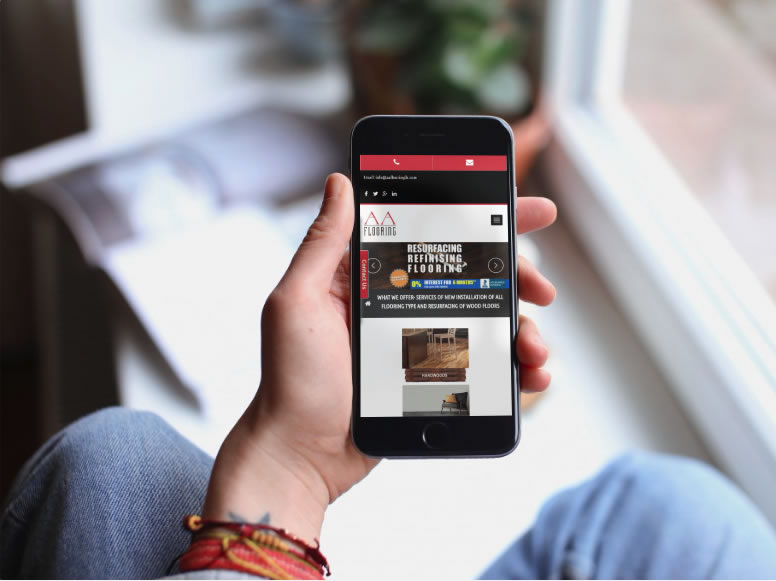
We are always here to help at Elegant Image Studios. We are going to share the top 5 web design tips for you to look for no matter what developer you hire for your next project. Site Is Not Mobile Ready: Responsive websites are a must! Every year, more and more web browsing is done on phones and other devices. Mobile is the now and it’s definitely not going anywhere. If your website cannot adapt to different screen sizes then your site is not mobile friendly. This tiny mistake could lead to losing out on multiple sales and conversions. So how do you fix the problem? You need a responsive website. Stale and Bland Content: If you want to generate long-lasting leads, you must have good content. Good copy will help you gain more site traffic and make people trust your company or service. Google recommends a 300-word minimum. Also, keep in mind, your content should always offer value to the customer in terms of tips and ideas. Original Photography is Important: This website mistake is probably the most common. Customers like to see visually appealing images when they visit a site. Taking the time to find high-quality images is easy and will definitely be beneficial in the long run. Poor Navigation: Without proper site navigation, your customers can become confused and overwhelmed. It’s important to limit the links in your menu and then put them in order that would make sense for your customers when they visit your site. Their needs to be a coherent direction or sequence of steps for the customer to take. The goal is for them to learn more about you and your services first. Bad Text: If your customer can’t read your content, then there’s a good chance there will be no sale. There are three main things that can affect the readability: font, color, and most importantly, size. It’s best to choose a font that is approximately 16 px. Another major point to keep in mind is that the size of your text will depend on the font style as well. When it comes to font colors, stick to a dark color if your background is light and vice versa. You want to make sure that your color palette is cohesive. We hope this will give you a better insight into making your website work better for you and your business. Whether you need to remedy your mobile ranking or want to jump ahead in the marketplace, we’ve got the answers you need, with innovative web design based on extensive market research. Please contact us at Elegant Image Studios (678) 457-7939 today and let us help your business grow!
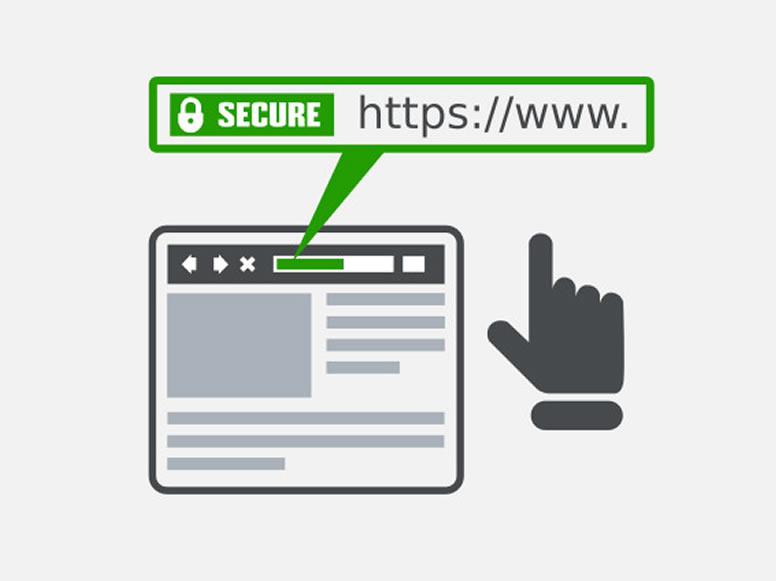
We strive to keep our clients informed of the latest developments in the online community. We want them to feel confident that we will share our expertise and help their business succeed. There has been a lot of buzz recently about SSL Certificates. What are these, why we recommended them, and why might you consider owning one now for your business? The SSL Certificate SSL stands for Secure Socket Layer. It is a security protocol that conveys your communications over the Internet in an encrypted form. SSL encoding is commonly employed by eCommerce websites (but continue reading even if you do not have an eCommerce site because you too can benefit from having an SSL Certificate) to protect sensitive information such as credit card numbers or personal data. SSL certificates ensure that information is delivered to the server for which it was intended, without falling into the hands of third parties (hackers!) who could tamper with the data. You’ll recognize sites that have an SSL certificate by the domain URL https://, rather than the unsecured http://, plus the green padlock icon that appears in your browser’s address bar (the color/appearance varies by browser). What Are the Benefits? Trust & Reputation — An SSL certificate helps build a trusted online brand recognized by customers as a reputable website. When completing transactions over the Internet, online shoppers trust the https:// URL and padlock symbol over the unsecured http:// URL. With an SSL certificate, you can inspire the highest level of trust in your customers. That means you can confidently sell products or services in an online shop knowing that each of your transactions is secure. Search Engine Ranking — In addition to popularity with customers, an SSL certificate will make you popular with search engines as well! The SSL certificate is recognized by Google’s algorithm as a seal-of-quality and assurance, meaning your website will appear higher up in the search engine’s results compared to unsecured websites. This means that you will enjoy increased traffic to your website from customers searching for your services on Google – all you need to do is show them that the security of their sensitive data is your priority Here are a few features of the superior SSL Certificates we use: 256-Bit SSL Encryption — World-class 256-bit SSL encryption for maximum protection Over 99% Browser Recognition — All major browsers recognize these security standards Lightning-Fast Validation — The digital verification (validation) is accomplished easily online, with no tedious paperwork or forms Are you interested in obtaining an SSL certificate? Call Us Today at (678) 457-7939 or Send us a message, and we can set this up for you!
